





Chevrolet Colorado: Infotainment Pairing Guide
This content was aggregated from local dealer data and insights provided by the USA Today Network Automotive Insights team using Google Gemini and the Vehicles for Sale Near Detroit – Free Press Edition marketplace writing team.
Connecting Your Smartphone to the Chevrolet Colorado Infotainment System
The Chevrolet Colorado is designed to keep you connected, even when you are on the move. With features like Apple CarPlay and Android Auto, you can easily bring your favorite smartphone apps, navigation, and music directly to your truck's infotainment screen. This guide will walk you through the simple steps to connect your device and make the most of your Chevrolet Colorado's technology.Understanding Apple CarPlay and Android Auto
Apple CarPlay and Android Auto are smart ways to use your phone safely while driving your Chevrolet Colorado. They take apps from your smartphone and put them on your truck's display, making them easy to see and control. Both systems let you get directions, make calls, send messages, and listen to music using voice commands or the touchscreen.- Apple CarPlay works with Apple iPhones.
- Android Auto works with Android smartphones.
Before You Connect Your Phone
Before pairing your phone with your Chevrolet Colorado, it is helpful to check a few things:- Make sure your phone's operating system is up to date.
- For wireless connections, ensure Bluetooth and Wi-Fi are turned on in your phone's settings.
- For wired connections, use a high-quality USB cable that is in good condition.
- Make sure your Chevrolet Colorado's infotainment system is turned on.
How to Connect Apple CarPlay to Your Chevrolet Colorado
Wireless Connection
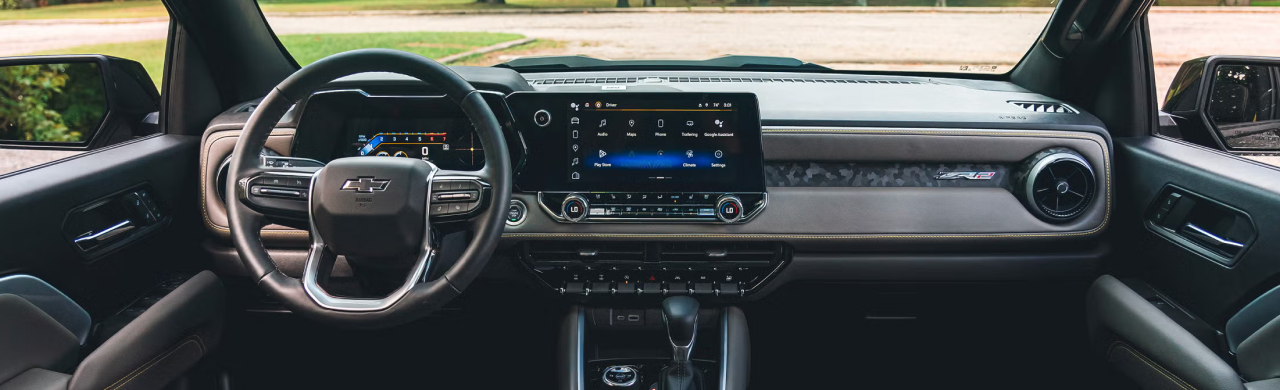
If your Chevrolet Colorado supports wireless Apple CarPlay, follow these steps:- On your Chevrolet Colorado's 11.3-inch Diagonal Advanced Color LCD Display, go to the home screen and select the Phone icon.
- Choose Add Phone.
- On your iPhone, go to Settings, then Bluetooth, and look for your Chevrolet Colorado in the list of devices.
- Select your truck's name on your iPhone.
- Confirm the pairing code on both your phone and the truck's screen.
- Your iPhone may ask if you want to use CarPlay. Select Yes or Enable.
Wired Connection (if equipped)
If your Chevrolet Colorado requires a wired connection:- Plug your iPhone into one of the USB ports in your Chevrolet Colorado using a USB cable.
- The infotainment system should automatically prompt you to launch Apple CarPlay. Follow the on-screen instructions.
How to Connect Android Auto to Your Chevrolet Colorado
Wireless Connection
If your Chevrolet Colorado supports wireless Android Auto, follow these steps:- On your Chevrolet Colorado's 11.3-inch Diagonal Advanced Color LCD Display, go to the home screen and select the Phone icon.
- Choose Add Phone.
- On your Android phone, go to Settings, then Bluetooth, and look for your Chevrolet Colorado in the list of devices.
- Select your truck's name on your Android phone.
- Confirm the pairing code on both your phone and the truck's screen.
- Your Android phone may ask if you want to use Android Auto. Select Yes or Enable.
Wired Connection (if equipped)
If your Chevrolet Colorado requires a wired connection:- Plug your Android phone into one of the USB ports in your Chevrolet Colorado using a USB cable.
- The infotainment system should automatically prompt you to launch Android Auto. Follow the on-screen instructions.
Troubleshooting Common Connection Issues
If Apple CarPlay or Android Auto will not connect, try these solutions:- Bluetooth is on, but CarPlay/Android Auto is not launching. Ensure Wi-Fi is also on for wireless connections. Sometimes, simply restarting your phone or the truck's infotainment system can help.
- Phone not appearing on the infotainment screen: Double-check that Bluetooth is enabled on your phone and that your phone is in "discoverable" mode. Make sure no other devices are currently connected to the truck's Bluetooth.
- Existing phone needs to be removed: If you are connecting a new phone and another was previously paired, go to the Phone settings on your Chevrolet Colorado's infotainment system. Select the old phone and choose "Forget This Device" or "Remove." Then, try connecting your new phone again.
- Wired connection issues: Try a different USB cable. Sometimes, a faulty cable can prevent a connection. Also, check the USB port for any debris.
FAQ
What do I need before pairing my phone with the Chevrolet Colorado Apple CarPlay?You need an iPhone with an up-to-date operating system. For wireless connections, make sure Bluetooth and Wi-Fi are enabled. For wired connections, a good-quality USB cable is essential.
How do I connect Android Auto to a Chevrolet Colorado?
You can connect wirelessly by pairing your Android phone via Bluetooth and then confirming the Android Auto prompt on both your phone and the Chevrolet Colorado's screen. If wired, plug your phone into a USB port and follow the on-screen instructions.
What should I do if Apple CarPlay or Android Auto will not connect?
Check your phone's Bluetooth and Wi-Fi settings, restart your phone and the infotainment system, try a different USB cable if connecting wired, and ensure any old paired phones are removed from the truck's system.
Why Buy From Michael Bates Chevrolet
At Michael Bates Chevrolet in Woodhaven, we are dedicated to helping you find the perfect vehicle that fits your needs. When considering a Chevrolet Colorado, our team can provide detailed information on various configurations and available technology features. We can show you how the 11.3-inch Diagonal Advanced Color LCD Display and wireless Apple CarPlay and Android Auto enhance your driving experience. If you are looking for a new truck, you will find options like the 2026 Chevrolet Colorado WT 4WD, equipped with an 8-Speed Automatic transmission and a 2.7 L TurboMax Engine delivering 310 HP @ 5600 RPM. We are proud to offer the 2026 Chevrolet Colorado for sale near Woodhaven, MI, ensuring you have access to the latest in truck innovation and connectivity. Visit us to compare different trims and see the technology firsthand.Quick Specifications Summary for the 2026 Chevrolet Colorado WT 4WD
- Engine: 2.7 L TurboMax Engine, 4 cylinders, 310 HP @ 5600 RPM
- Transmission: 8-Speed Automatic
- Drive Type: 4x4
- Infotainment Display: 11.3-inch Diagonal Advanced Color LCD Display
- Smartphone Integration: Wireless Apple CarPlay/Android Auto
- Safety Features: Forward Collision Alert with Automatic Emergency Braking, Front Pedestrian and Bicyclist Braking
Visit Michael Bates Chevrolet Today
Ready to experience the advanced technology of the Chevrolet Colorado? Visit Michael Bates Chevrolet in Woodhaven, MI, to see our selection, including the highly capable 2026 Chevrolet Colorado. Our friendly staff is here to answer all your questions and help you get connected. Stop by and see why the 2026 Chevy Colorado for sale at our dealership is the smart choice for your next truck.Written for Michael Bates Chevrolet
By the USA TODAY Network Automotive Insights Team, in collaboration with https://vehiclesforsaleneardetroit.com/ and the Vehicles for Sale Near Detroit – Free Press Edition.
Disclaimer: The content provided in this article is intended for informational purposes only. Vehicle images may not depict the exact model, trim, features, packages, accessories, or specifications described. Vehicle pricing, availability, features, and specifications are subject to change without notice. Please consult the dealership directly for complete and accurate vehicle information.